Article
Custom Manufacturing Software: Fix the Workflow Your ERP Leaves Behind
Nx Growth Partners5 min read
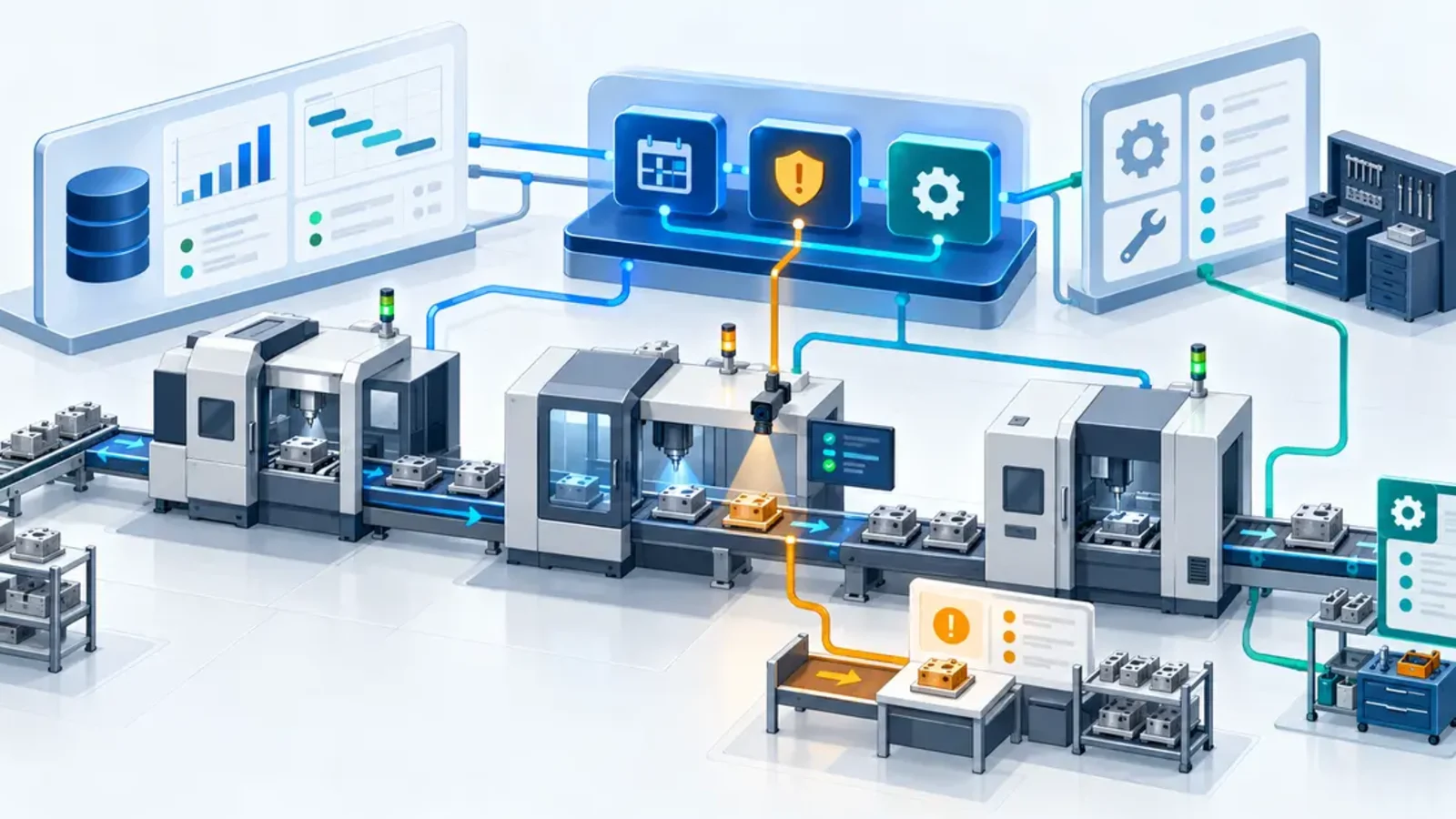
Custom manufacturing software is worth considering when your ERP, MES, quality system, and maintenance tools each work, but the handoffs between them still depend on spreadsheets, email, or tribal knowledge. The best first build is usually not a new ERP or MES. It is a focused layer that connects the systems you already trust, gives exceptions a clear owner, and removes the manual workaround holding the process together.
For a manufacturing operations leader, plant manager, or IT director, the decision should start with one operational bottleneck. Identify the work that repeatedly stalls, requires duplicate entry, or leaves teams arguing over which status is current.
What problem should custom manufacturing software solve?
Follow one work order from demand through production, quality release, and shipment. Record every system, spreadsheet, message, and verbal handoff involved. The useful software opportunity is often the point where information stops moving with the work.
Consider a hypothetical component manufacturer. The ERP owns orders and inventory. A machine or MES records production status. Quality findings live in another tool, while planners keep a spreadsheet of jobs that need attention. When a part is placed on hold, people manually update several places and message the next shift. A focused custom application could create one exception queue, preserve links to the source records, and show the next responsible person. This is a planning example, not a claim about an NxGP client.
Which manufacturing workflows are good custom candidates?
Strong candidates cross systems or teams and have an important local rule that packaged software does not handle cleanly. Examples include:
Production scheduling exceptions, such as a late material, failed inspection, unavailable tool, or priority change that requires several teams to replan.
Quality holds and nonconformance handoffs that need evidence, disposition, approval, and a controlled return to production.
Maintenance coordination that connects an equipment issue to the current job, technician assignment, parts availability, and restart decision.
Shift handoffs that turn observations, open risks, and incomplete work into owned actions instead of another free-form log.
Order-to-shop-floor handoffs for make-to-order products where configuration, drawings, approvals, and work instructions must remain aligned.
The point is not to add software everywhere. It is to make one business-critical workflow visible and actionable. NIST's smart manufacturing program warns that applying computing and communication technology without accounting for manufacturing's unique needs can adversely affect safety, performance, quality, and cost. That is a good reason to scope around the actual operation, not a generic feature list.
Should you buy, configure, integrate, or build?
Test four options against the same real workflow before approving a custom project.
Buy when a proven product covers the process, required controls, and integrations with tolerable compromise. Common workflows should not be rebuilt simply to look different.
Configure when your existing ERP, MES, QMS, or CMMS already has the right objects and permissions, but the workflow needs better rules, views, alerts, or roles.
Integrate when the systems are useful individually but staff must rekey status, identifiers, or decisions between them. A small integration and exception queue may solve more than a new platform.
Build when the workflow is materially different, commercially important, and stable enough to describe. Keep systems of record in place unless replacement is itself the justified project.
Ask vendors and development partners to run a late job, a failed inspection, and a corrected record through the proposed solution. A polished dashboard is less important than what happens when data is incomplete, duplicated, delayed, or wrong.
How should data move across ERP, MES, and plant systems?
Define ownership before interfaces. Decide which system owns the work order, item, machine, quality status, maintenance record, and shipment commitment. Give shared records durable identifiers and map the states that matter to each team. The custom layer should link back to source evidence rather than quietly create a second system of record.
NIST's Digital Thread for Manufacturing work focuses on methods, protocols, conformance testing, and product-definition standards needed to move trusted information across design, manufacturing, and support. Your first release does not need a complete digital thread, but it should use explicit contracts for identifiers, units, timestamps, revisions, and error handling.
Treat connections to operational technology as a security design decision. CISA's January 14, 2026 secure connectivity guidance addresses the business pressure to connect into OT networks and recommends secure connectivity principles for asset owners. In practice, keep the first workflow read-only where possible, segment access, minimize privileges, log changes, and require a reviewed path for any action that could affect production.
Where can AI help without becoming the control system?
AI can be useful around unstructured information and prioritization. It might classify maintenance notes, summarize a shift log, suggest the likely category of a quality issue, or draft a response to a supplier. Each output should carry its source context and confidence into a review queue.
Keep deterministic business rules for known states and safety-relevant controls. Do not let a general-purpose model directly change machine settings, release held product, or close a maintenance issue. Those actions need the authority, evidence, and approval process defined by the operation.
A sensible AI pilot starts in suggestion mode. Compare proposed classifications or summaries with staff decisions, measure correction rates, and identify where the model lacks enough context. Promote only the bounded tasks that remain useful after real exceptions appear.
What should the first release prove?
Choose one workflow, one site or line, and one accountable business owner.
Baseline waiting time, manual touches, duplicate entry, corrections, and unresolved exceptions.
Connect the minimum source data needed to create a trustworthy queue and preserve traceability.
Pilot with actual operators, planners, quality staff, and IT support before expanding scope.
Define what the release will retire, such as a spreadsheet, mailbox, or recurring reconciliation meeting.
Judge the release by operational evidence. Did exceptions reach the right owner sooner? Did teams make fewer duplicate updates? Can a reviewer trace a decision to its source? If the new tool adds another queue without retiring the old workaround, the workflow is not finished.
What should a manufacturing software partner demonstrate?
Ask a prospective partner to show how it will learn the workflow, integrate without weakening OT security, test failure and recovery, support the system after launch, and tell you when configuration is the better answer. The partner should be able to explain the smallest valuable release and the conditions that would stop the project.
NxGP's software and workflow automation services include internal tools, APIs and system integrations, data platforms, human-in-the-loop design, and evaluation. If a manufacturing workflow is falling between your current systems, discuss the project with us. Bring one workflow sketch, a list of systems, and examples of the exceptions your team handles today.